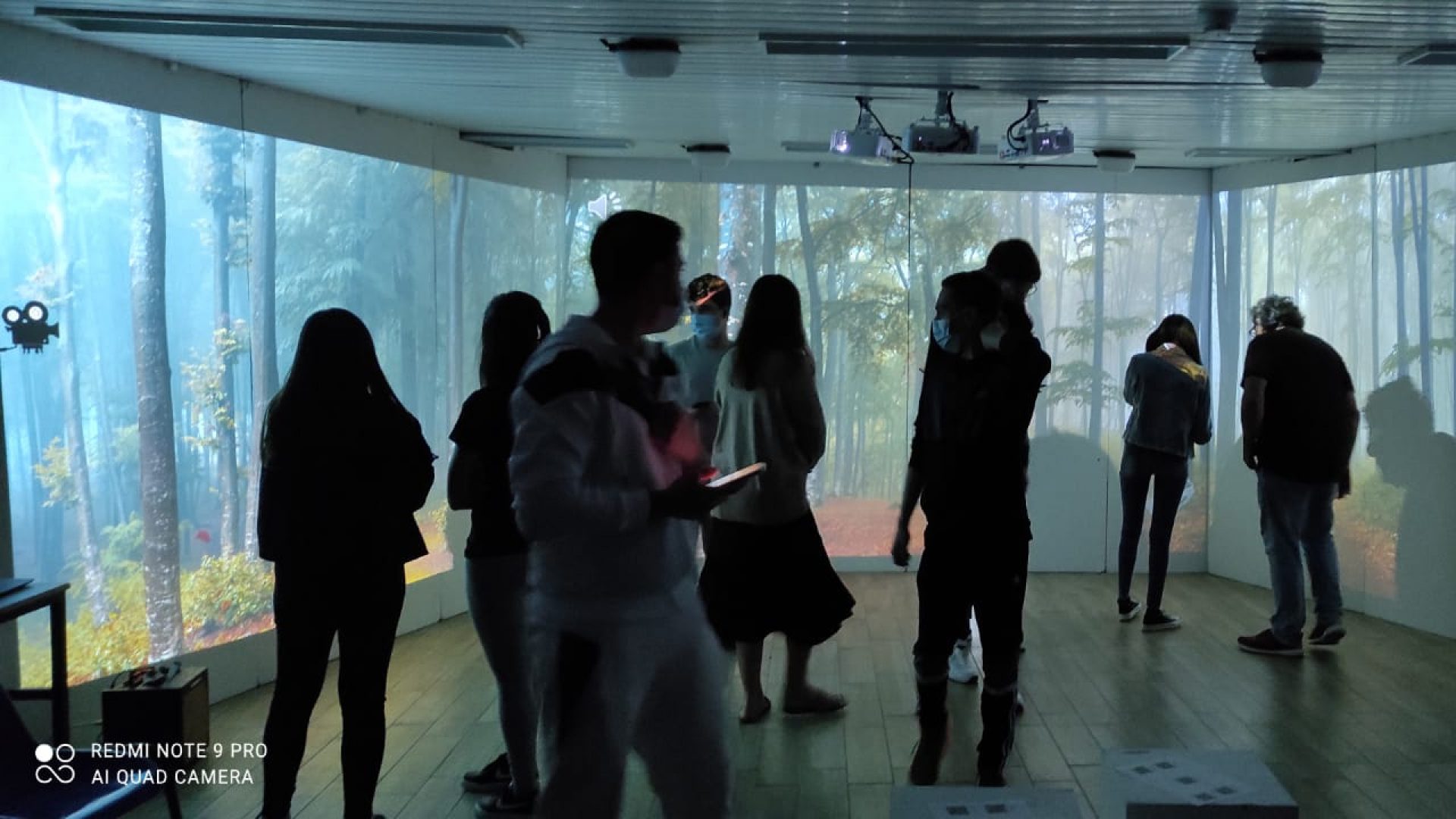
An immersive room can suit a school when it is planned around clear uses, staff who take responsibility for operating it, and content that can be prepared and scheduled as part of everyday school life. The decision starts with who will use the room, for which activities, how often and who will be responsible for each stage, rather than with an equipment model or a single size for every institution. For dimensions, room conditions, system components and pricing details, see the technical guide to the immersive room.
Want to check whether the project suits your school?
Planning and a quotation
Who will use the room, why and how often
Start with a short outline of uses, rather than an equipment list. The school principal, pedagogical lead and project coordinator should be able to describe the intended use, even if some details are still given as a range.
- The users: age groups, typical group size, accompanying staff and known accessibility needs.
- Content: your own staff, a dedicated studio or mainly ready-made content.
- Room type: you can choose one, both or ask the team to help you decide.
- The dream: if you could enter any place or world, where would you go?
There is no single model of use that suits every school. These answers make planning possible; they do not guarantee suitability or a learning outcome.
Three possible activity patterns
Plan sightlines, seating and activity duration.
| Activity pattern | What happens in the room | What to plan in advance |
|---|---|---|
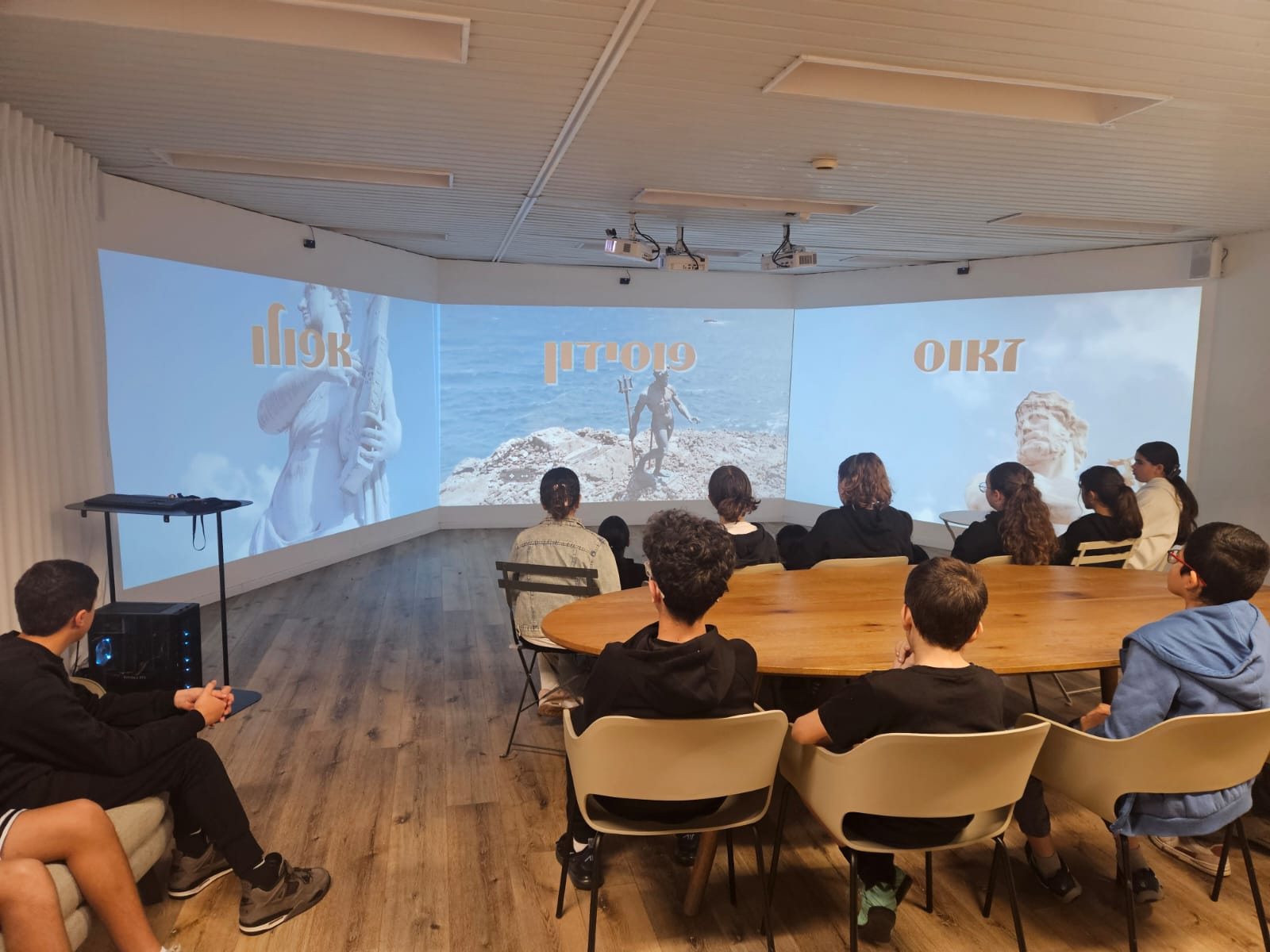
| Shared class viewing | The class watches content displayed on the three walls, while the teacher leads the session | Sightlines, seating, activity duration and the transition to discussion or a task |
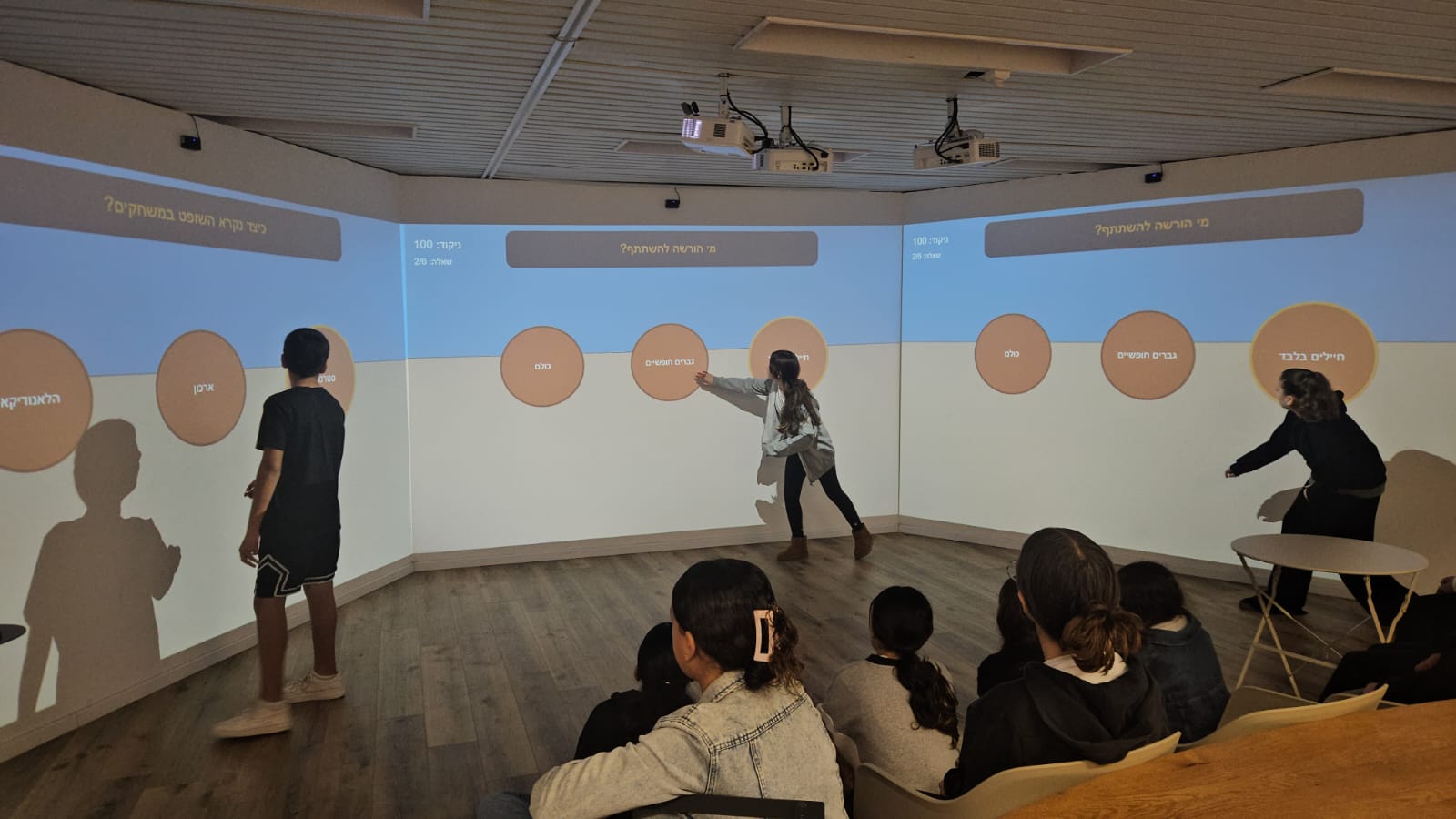
| Activities at the walls | Students approach the walls and activate content elements through infrared interaction | Movement around the room, participation order, accessibility and content suited to the action |
| Small-group work | The walls provide shared context while groups work around tables, computers or tablets | Furniture, group allocation, available equipment and the transition between working and sharing |
These patterns can be combined in the same room, but there is no need to define a detailed teaching process at this stage. Further examples appear on the Activities page; they are presented as existing ideas, rather than evidence of an outcome.
Suggested responsibilities
| Party | Main responsibility | What should be clear before moving forward |
|---|---|---|
| School leadership | Defining the objective, budget framework, schedule, approving authority and project coordinator | Who makes decisions and who coordinates the process |
| Pedagogical staff | Defining audiences, initial activities, content needs and the training and adoption plan | Who prepares content, who operates the room and who gathers feedback |
| Site professionals | Inspecting the building and carrying out room, electrical, fire safety, accessibility and local compliance preparations | Which inspections and work are required and who is responsible for each |
| 3walls | Providing system requirements, planning the configuration, installing after site preparation and training in operation and the content editor | Which components and services the quotation includes and the handover conditions |
The table provides a starting point for a planning discussion. The binding division of responsibilities and service scope are set out in the quotation. Hardware warranties follow the suppliers' terms.
Content, training and adoption
Content chosen for the activity. A team ready to run it.
A decorative composition of three walls — not a photograph of the product interface.Before installation, choose a few initial uses that the school genuinely intends to schedule. This helps determine which content is already available, which content staff want to adapt and which content needs to be created.
3walls Content Editor lets staff assemble sequences of content and media for the room. Compatible web content can also be incorporated; using third-party services depends on their availability, the necessary accounts and permissions, and each provider's embedding policy. Further preparation methods appear in the guide to creating media for an immersive room.
A practical starting plan includes:
- Choosing a few initial activities and a target audience for each.
- Appointing someone to coordinate content, alongside another staff member familiar with operating the room.
- Allocating time to prepare, check and update content.
- Training the staff who will operate the room and the content editor.
- Periodically reviewing the timetable, staff needs and missing content.
Training covers operating the room and using the content editor. The extent of training and ongoing support is set out in the quotation; unlimited support should not be assumed. Content, images or identifying details of students require suitable rights and permissions, or handling that prevents identification.
What falls within the project scope
| Component | What is considered |
|---|---|
| The system | Projection on three walls, a computer, 3walls software and infrared sensors for wall interaction; the precise configuration depends on the site |
| Installation and training | System installation after site preparation is complete, and an introduction to operating the room and 3walls Content Editor; the precise scope is set out in the quotation |
| Site preparation | Projection surfaces and drywall work as needed, electrical work, fire safety, accessibility and local regulations are the responsibility of the school and appropriate professionals |
| Optional additions | An interactive floor based on a 3D camera, and additional services considered separately according to the project's needs |
The price depends on the project: equipment, site preparation, installation, content, training and the agreed software and support scope all affect it. The final price and terms are set out in the specific quotation, which details what is included and what is optional. Dimensions, geometry, projection surfaces, equipment, preparations and further details appear on the room page.
What to prepare for a planning call
You do not need a final specification. The following information helps start a focused conversation:
- The school's name, location and contacts for the process.
- The room's purpose and intended audiences.
- Typical participant numbers and desired activity types.
- Estimated frequency of use, activity duration and timetable constraints.
- Room dimensions, height and current photos of the space.
- Known information about wall surfaces, blackout options, furniture and existing infrastructure.
- Accessibility needs and movement restrictions to consider.
- Professionals or local authority representatives who should participate in the site assessment.
- Content, languages and tools the staff already use.
- Desired schedule, budget framework and interest in optional additions.
An unknown detail can remain marked for checking. There is no need to invent a dimension, specification or responsibility to complete the list.
Frequently asked questions
Does an immersive room suit every school?
Not automatically. Suitability depends on the goals, space, audience, staff readiness and ability to make the room part of everyday school life. The planning call is intended to assess these conditions before a decision.
Is a room of a fixed size required?
No. There is no universal size that suits every project. Room geometry, movement, accessibility, projection conditions and planned activities are assessed. Examples and technical guidance appear in the room guide.
Can viewing, activities at the walls and group work be combined?
Yes, provided that the space, furniture, content and timetable are planned accordingly. The precise combination depends on the group and activity; it is not a single teaching template for every institution.
Do staff have to create all the content themselves?
No. They can choose available content, adapt content and create new sequences in the content editor. Incorporating external content depends on service availability, accounts and permissions, and the provider's embedding policy.
Who prepares the room and who installs the system?
3walls supplies the system requirements and installs it once the site is ready. The school and its appointed professionals are responsible for preparing the building, room and infrastructure and meeting local requirements.
Is the interactive floor a mandatory part of the system?
No. An interactive floor based on a 3D camera is an optional addition that is assessed and priced separately.
Who should attend training?
The staff who will operate the room or prepare its content. Participant numbers, training duration and subsequent support are set out in the project quotation.
Preparing for a planning call
Include the room's dimensions and height, photos of the space, a description of the audiences and activities, estimated frequency of use and the project coordinator's details. Any information still missing can remain a question to clarify.
Want to explore what suits your school?
Planning and a quotation